Rate limiter
Rate limiting in the Shoptet API protects the servers from overload. It does not limit the total number of requests or the amount of data. Instead, it limits the number of simultaneous connections and measures how demanding your requests are, so that the API stays stable for all integrations.
Connection limits
The API limits the number of concurrent active connections:
- at most 50 connections from a single IP address,
- at most 3 connections for a single API token.
When a limit is exceeded, the API returns HTTP 429.
Leaky bucket
On top of the connection limits, the API measures the load your requests create with the leaky bucket algorithm:
- Every processed request adds drops to the bucket: 1 drop, plus 1 drop for every millisecond the request spends in the database, at most 21 drops per request. The number is calculated after the request has been processed.
- The bucket holds 117,000 drops. That is about 9,000 requests of average complexity (12 ms in the database).
- Every second, 130 drops leak out of the bucket – about 10 requests of average complexity – which frees capacity for further requests.
- If no request is processed for 30 seconds, the bucket is emptied completely.
- When the bucket is full, the API rejects further requests with HTTP
429until the bucket is emptied. Rejected requests do not add any drops, so wait 30 seconds without sending requests.
Some endpoints (for example batch operations) have their own specific limits, documented with each endpoint in the API reference.
Requests are measured in drops rather than counted because they differ a lot: a product list with many items and filters is far more demanding than a simple request for e-shop information.
Each combination of addon and e-shop has its own bucket, and so does each private API token. Requests of one addon do not affect the limits of another addon in the same e-shop, and requests to one e-shop do not affect the limits of the same addon in another e-shop.
Asynchronous snapshot exports (for example products, orders or invoices) are measured in a separate bucket by the number of exported items: it holds 150,000 items and 100 items leak out every second. This bucket does not reject requests, but filling it shows up in the email reports.
Response headers
Every response tells you how full your bucket is:
The header shows the filling of the bucket after your previous request; 200/200 means the bucket is full.
# Normal response – the bucket is 65 % full
HTTP/1.1 200 OK
X-RateLimit-Bucket-Filling: 130/200

# The bucket is full – wait before sending further requests
HTTP/1.1 429 Too Many Requests
X-RateLimit-Bucket-Filling: 200/200
Retry-After: Mon, 01 Jul 2024 12:01:11 GMT
Email reports
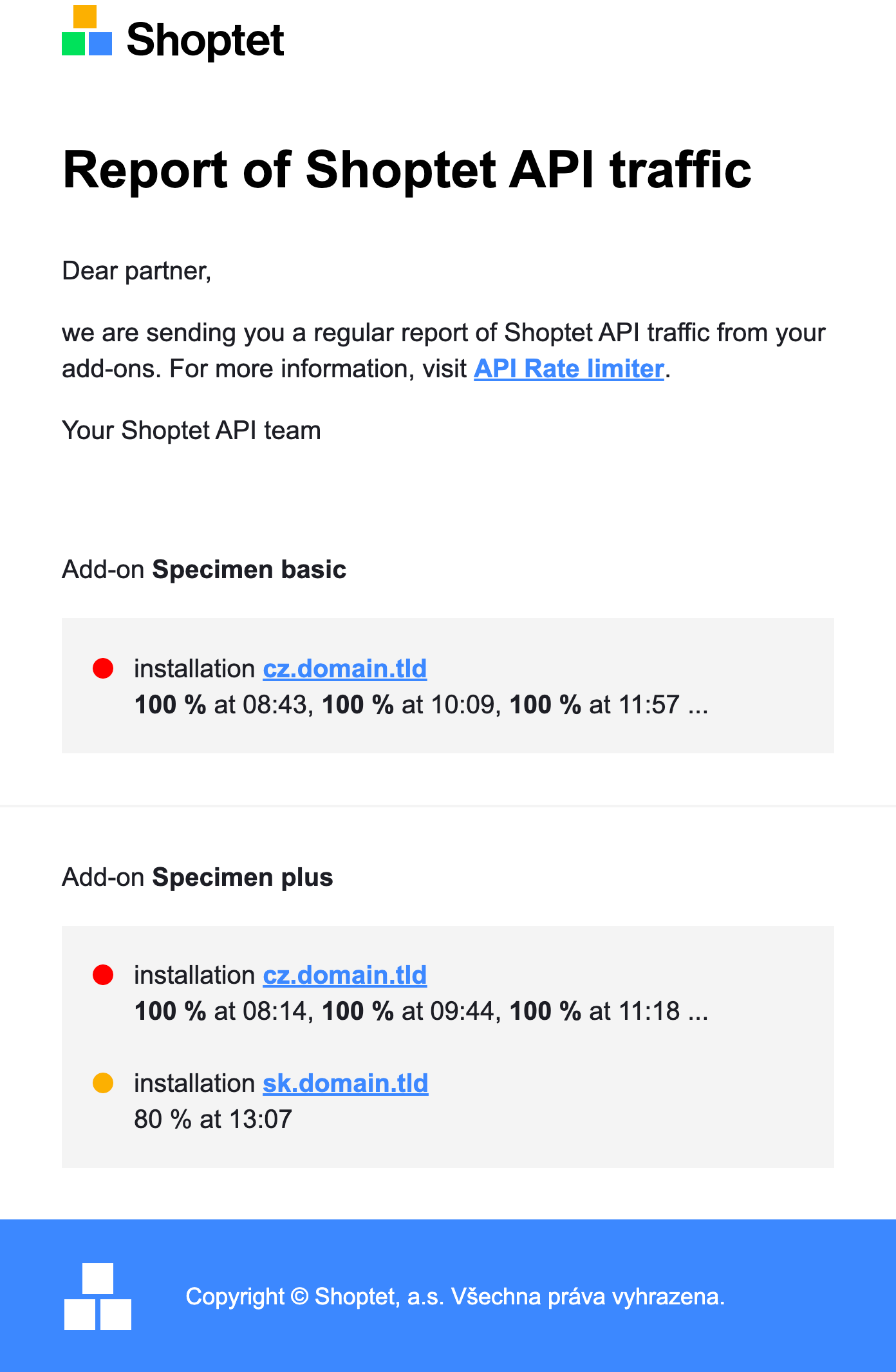
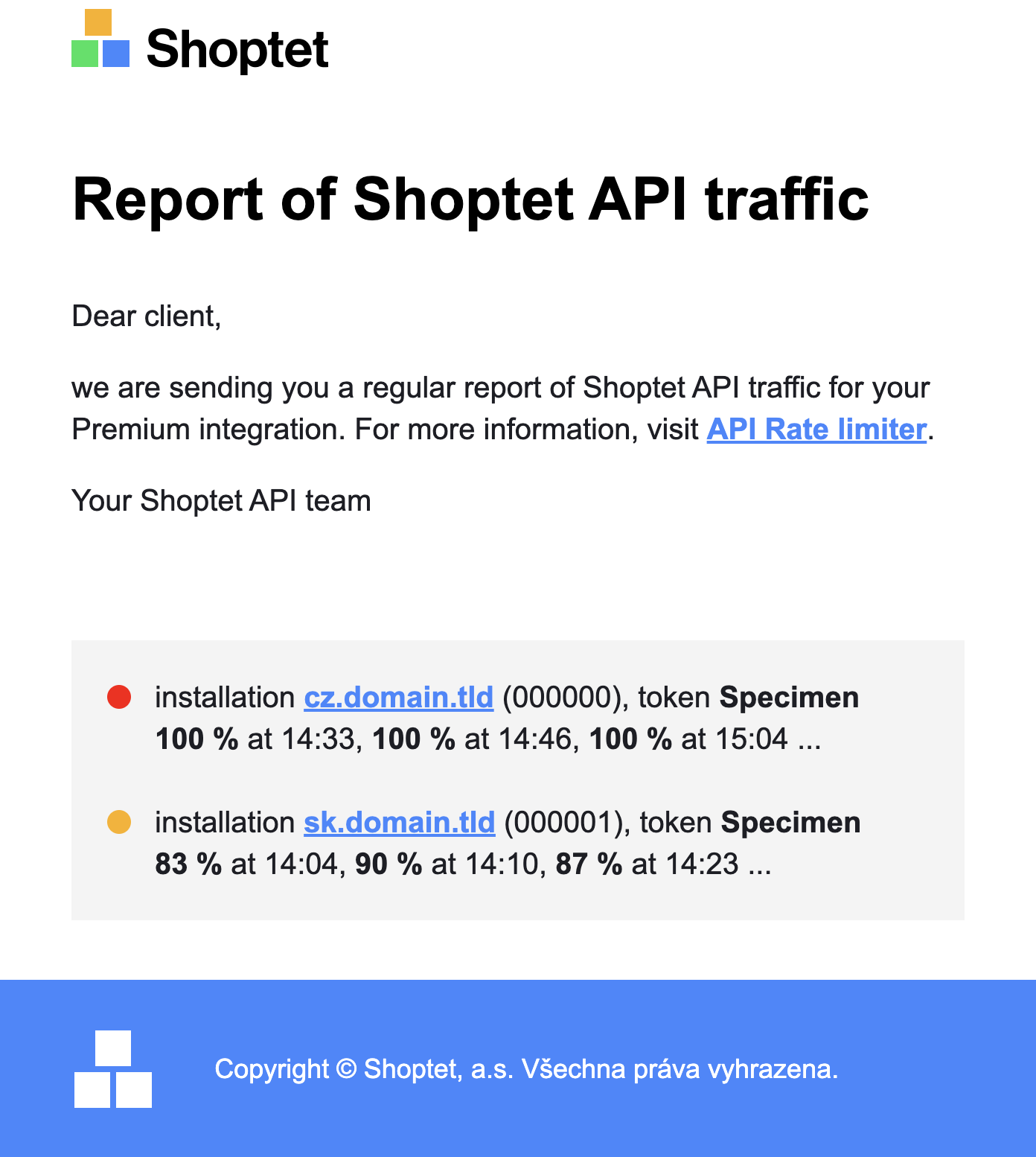
Shoptet monitors the load created by your integrations and sends email reports twice a day, at 8 AM and 2 PM. The 8 AM report covers the period since 2 PM of the previous day, the 2 PM report the period since 8 AM. A report is sent only if a bucket was at least 80 % full during that period, so you can trace back when it was filling up. Snapshot exports are listed in a separate part of the report.
The reports mark each installation with a colour and list up to three times when it happened:
- Orange – the bucket was at least 80 % full. Find out what causes the high API usage.
- Red – the bucket was full and the requests were rejected. Act immediately.
The reports are sent to:
- Addon creators – one report per partner, covering all of their addons, sent to the email address from the partner's billing details.
- Premium e-shops (private API tokens) – the e-shop owner receives a report covering all private API tokens of the e-shop. If a token has a Technical contact e-mail set, that address also receives a report, limited to that token.
Locks for duplicate write requests
Write requests (DELETE, PATCH, POST, PUT) can take longer to process, so two identical requests could run at the same time. To prevent duplicate writes, the API uses locks:
- If you send a write request to the same URL with the same method while the first one is still being processed, the second one is rejected with HTTP
423. - A lock applies to one URL and method in one e-shop, for as long as the first request is being processed.
- A lock lasts 5 seconds at most.
- Downloads of document PDFs and ISDOC files (orders, invoices, proforma invoices, credit notes, delivery notes, proof payments) are locked as well: an addon can download only one such file at a time in one e-shop.
Best practices
- Watch the headers. Read
X-RateLimit-Bucket-Fillingin every response and slow down or pause when the bucket approaches200/200. - Respect
Retry-After. After a429response, do not retry immediately; wait until the time given inRetry-After. - Use bulk endpoints. Where they exist, one bulk request is far more efficient than many individual ones.
- Keep requests simple. Use pagination and specific filters and request only the data you need. Avoid broad queries over large data sets.
- Cache responses for data that rarely changes, for example brands or categories.
- Use webhooks instead of polling at a fixed interval, and fetch data only when something changes.
- Act on the email reports. When you receive an orange or red report, find the endpoints that use the most drops and optimize them first.
More recommendations are in Proper API usage.
Error reference
If you have questions, contact api@shoptet.cz or your partner manager.